
Today we are releasing Files Preview v4.0.39 for users of the preview version.
An update icon should be displayed in the top right corner of the app for existing users, while new users can get started from our download page. Additionally, you can help support the project by purchasing Files on the Microsoft Store or by sponsoring us on GitHub. Your support is greatly appreciated but entirely optional.
What’s New in Files v4.0.39
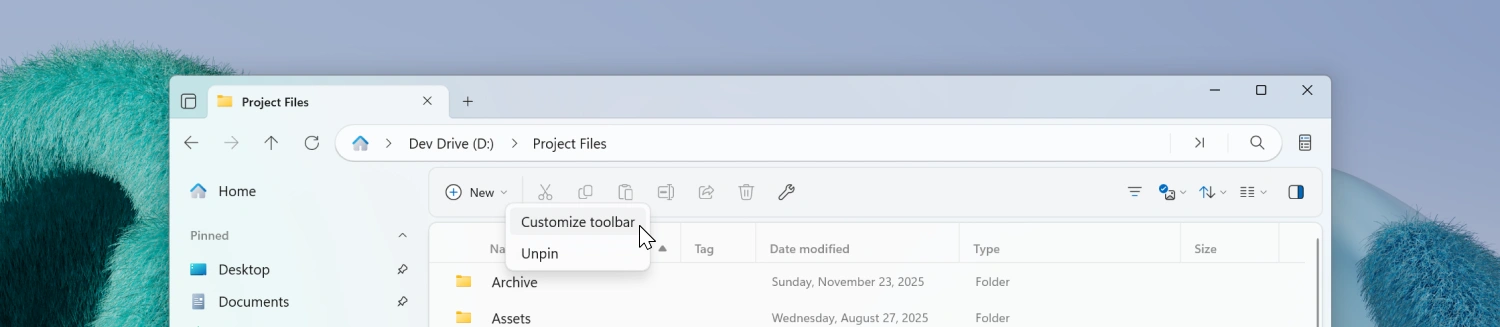
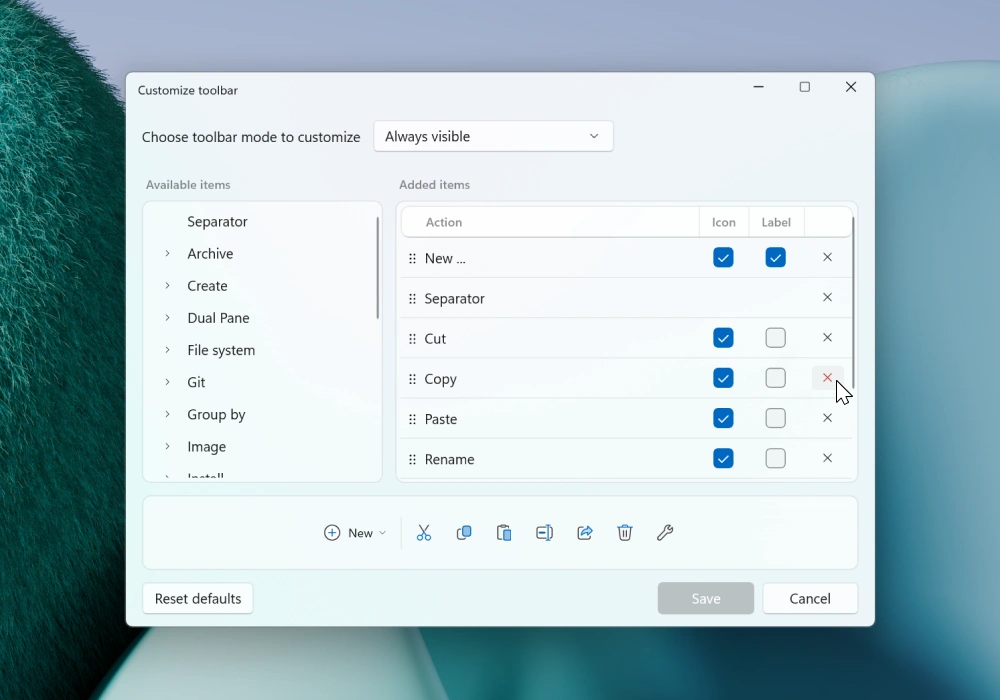
Customizable toolbar
You can now personalize the toolbar to better fit your workflow. A new toolbar customization window lets you choose from all available actions and add or remove buttons as you see fit. You can also set which buttons display labels for easier identification.
We also added an Edit Tags button that can be added directly to the toolbar for quickly editing a files tags.
Keyboard shortcuts for changing the app theme
It’s now possible to assign custom keyboard shortcuts to change the app theme. You can also toggle between light and dark mode using the Ctrl+Alt+T shortcut.
Media duration in tooltips
Tooltips for media files now display the duration of the video or audio. We’ve also improved the overall responsiveness of tooltips in the Grid Layout.
Multiline comment in Properties Window
The Comment field in the Properties window’s Details page now supports multiple lines of text. You can enter multiline comments using Shift+Enter, and the full content will be correctly saved and displayed when you reopen the Properties window.
Fixes
- Fixed an issue where PowerToys Peek was not detected when installed in a custom path.
- Fixed an issue with the Preview Pane.
Conclusion
As always, we appreciate your feedback and suggestions on how to improve Files. You can reach us on Discord and on GitHub.
Thank you for using Files! 😊
Download Files Preview from the Microsoft Store | Sponsor us on GitHub