
Today we are releasing Files v4.0.20 for all users.
An update icon should be displayed in the top right corner of the app for existing users, while new users can get started from our download page. Additionally, you can help support the project by purchasing Files on the Microsoft Store or by sponsoring us on GitHub. Your support is greatly appreciated but entirely optional.
What’s New in Files v4.0.20
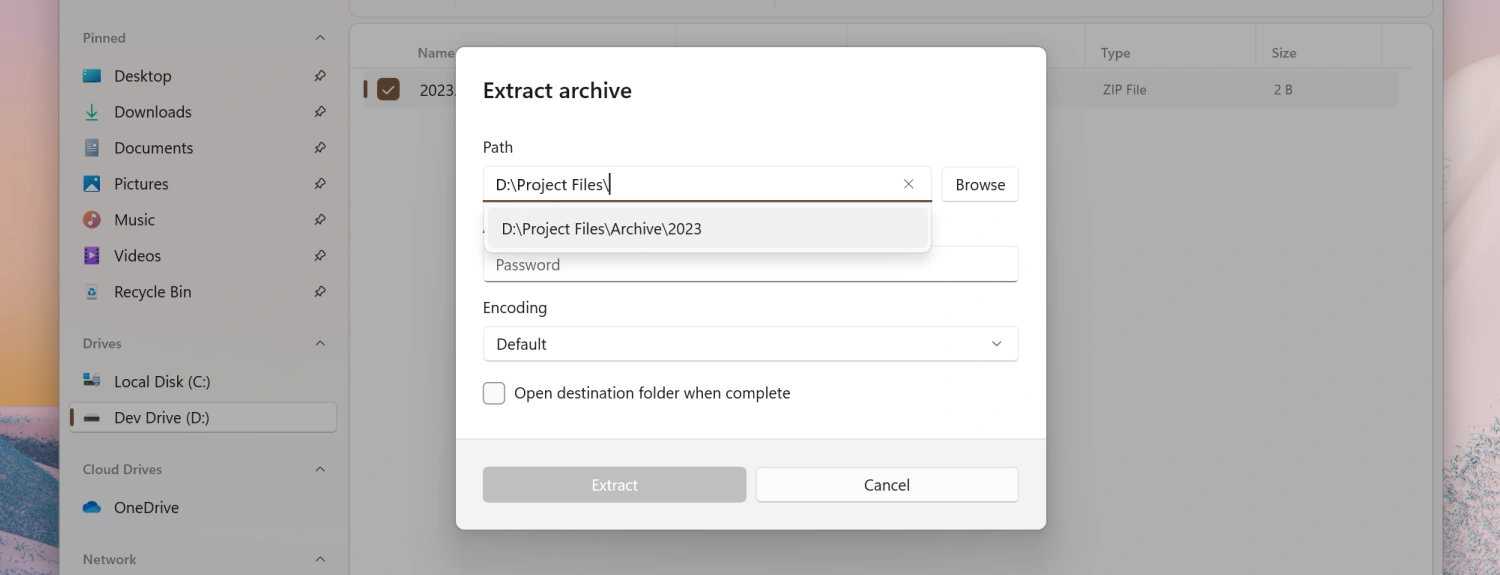
Improvements to the Extract Archive dialog
- You can now type or paste the destination path directly into the extract archive dialog. Previously, the path could only be changed using the
Browsebutton. - A recently used paths dropdown was added to make it easier to reuse paths without needing to enter them again.
Added New ‘Discovering’ Phase to Status Center
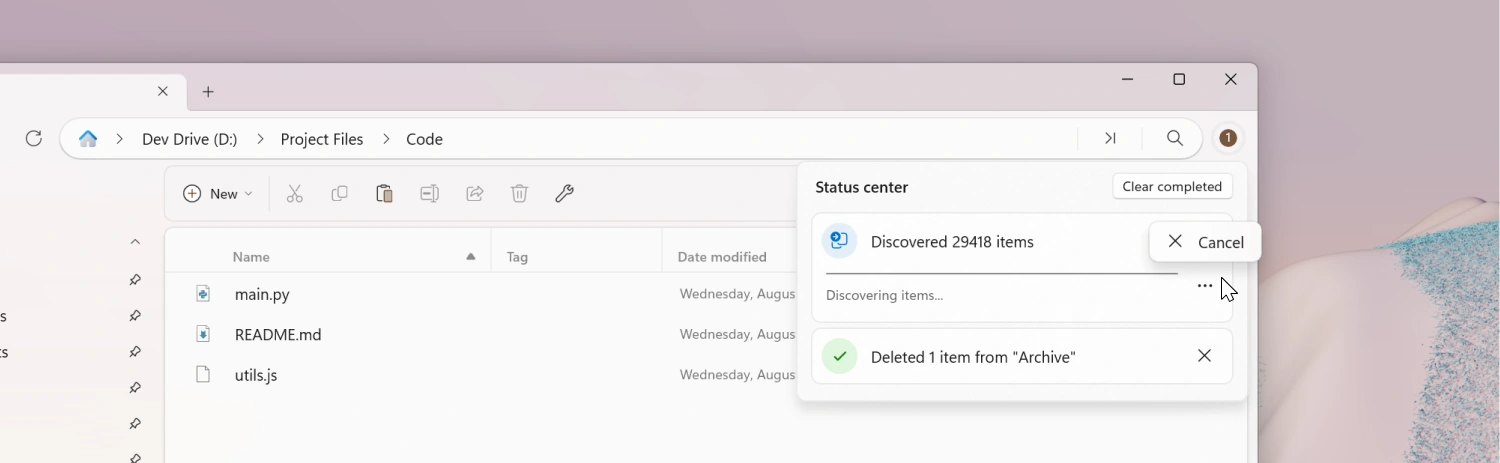
The Status Center now indicates when it’s actively discovering items for a file operation. This eliminates the confusing “frozen” appearance that users previously experienced.
Improved ‘Cancel’ Button Placement in Status Center
The Cancel button for ongoing operations has been moved into a menu flyout. This reduces visual clutter while keeping the cancel option easily accessible and preventing accidental clicks.
Settings
- We added a new toggle under Appearance settings to hide the status bar entirely for a cleaner, more minimal look.
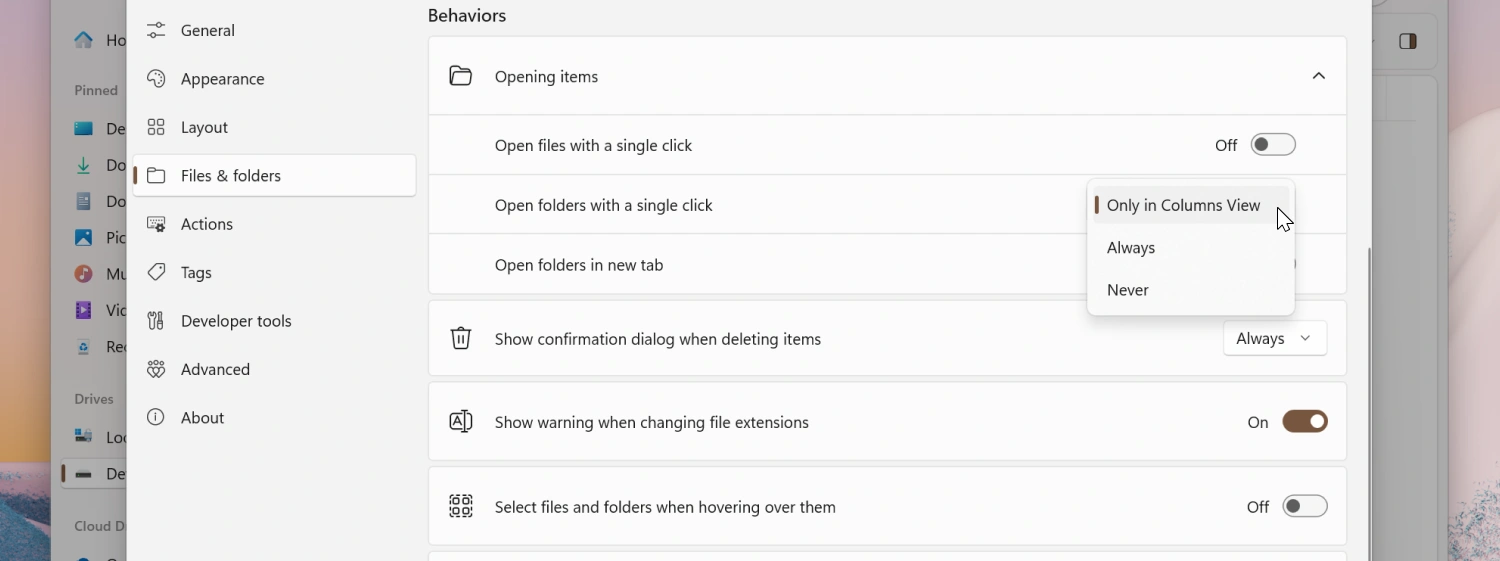
- Added independent “Open with single click” settings for files and folders. Previously, a single option controlled both together. You can now configure them separately to better match your workflow.
Fixes
Startup & Shell Locations
- Fixed opening special shell locations (e.g., Recycle Bin) on startup.
- Fixed pinned folder icons not loading until Files was restarted.
- Fixed the Home button not working when viewing a tag.
Environment & System Integration
- System environment variable changes are now detected without requiring a restart.
- Prevented crashes when an invalid image is set as the lock screen wallpaper.
Context Menu & Shortcuts
- Fixed incorrect actions from displaying in the Recycle Bin context menu.
- Fixed dragging files onto shortcuts that target scripts (e.g., .bat files).
- Fixed the
Ctrl+Cshortcut overriding text selection/copy in the Details Pane.
Layouts & Views
- Columns View is no longer incorrectly enabled inside Recycle Bin.
- Fixed missing context menu items in Columns View.
- Opening a new column in Columns View now correctly scrolls it into view.
- Fixed opening items from search results in Columns View.
File Operations & Status Feedback
- Process details are now shown when deleting folders containing locked/open files.
- Fixed progress not appearing during archive extraction.
Archives
- Fixed issues when extracting multi-part RAR archives and added better error reporting.
Network & Search
- Fixed issue with opening certain network locations.
Visual & Localization
- Release notes are no longer mirrored/flipped in right-to-left (RTL) languages.
Conclusion
As always, we appreciate your feedback and suggestions on how to improve Files. You can reach us on Discord and on GitHub.
Thank you for using Files! 😊
Download Files from the Microsoft Store | Sponsor us on GitHub