
Today we are releasing Files v4.0.24 for all users.
An update icon should be displayed in the top right corner of the app for existing users, while new users can get started from our download page. Additionally, you can help support the project by purchasing Files on the Microsoft Store or by sponsoring us on GitHub. Your support is greatly appreciated but entirely optional.
What’s New in Files v4.0.24
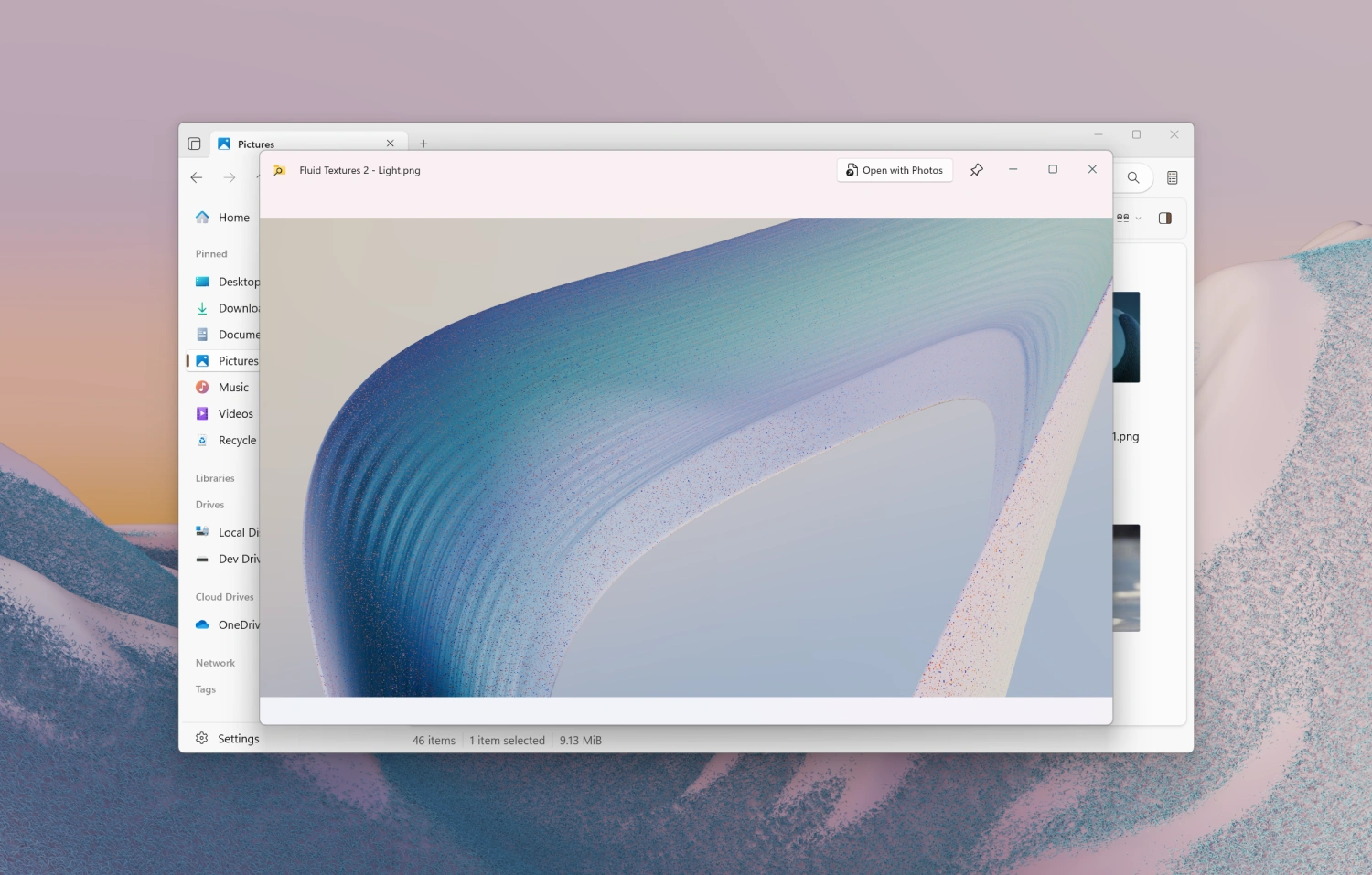
PowerToys Peek
We’re excited to be adding support for PowerToys Peek, a popular tool for previewing files on Windows. If you already have PowerToys installed, there’s no need for additional setup. Just select an item in Files, and press the space key to see a preview. To learn more about PowerToys Peek, please see their documentation site https://learn.microsoft.com/en-us/windows/powertoys/peek.
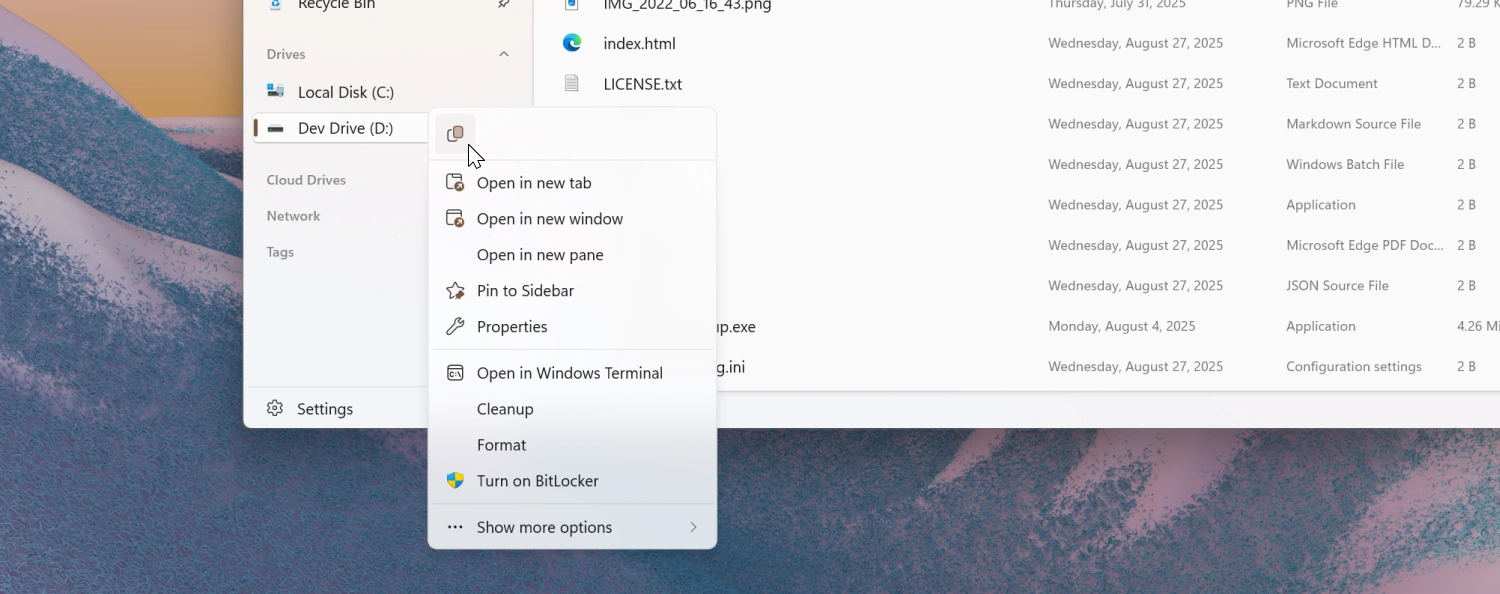
Right Click Context Menu
We added copy functionality to the context menu when right clicking the sidebar and home page widgets.
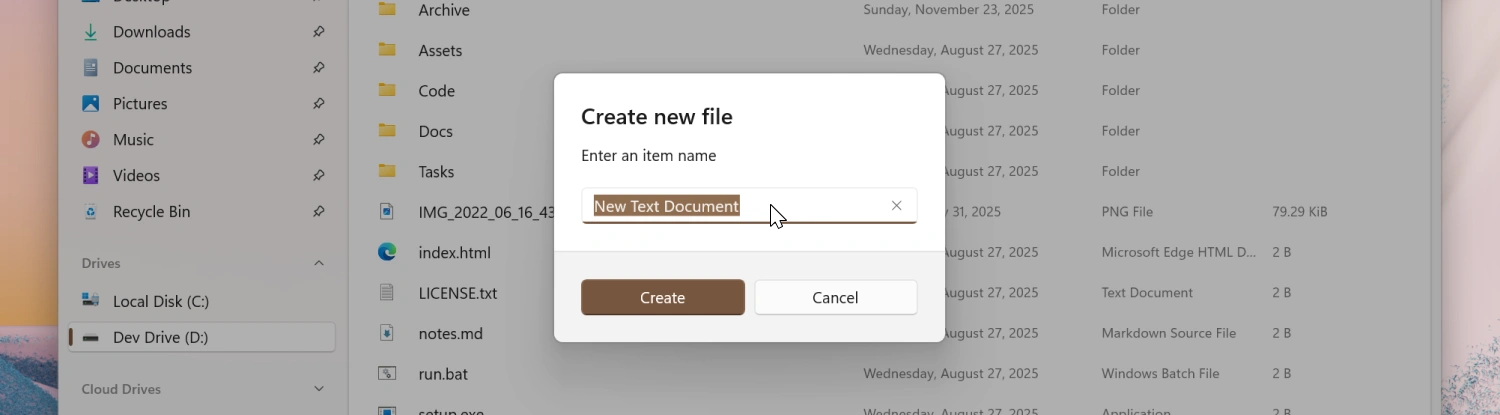
Faster File & Folder Creation
When creating a new file or folder, a default name is now prefilled and automatically selected. This allows you to quickly create files without having to manually enter a name, while making it easy to replace if you prefer to set one yourself.
Omnibar
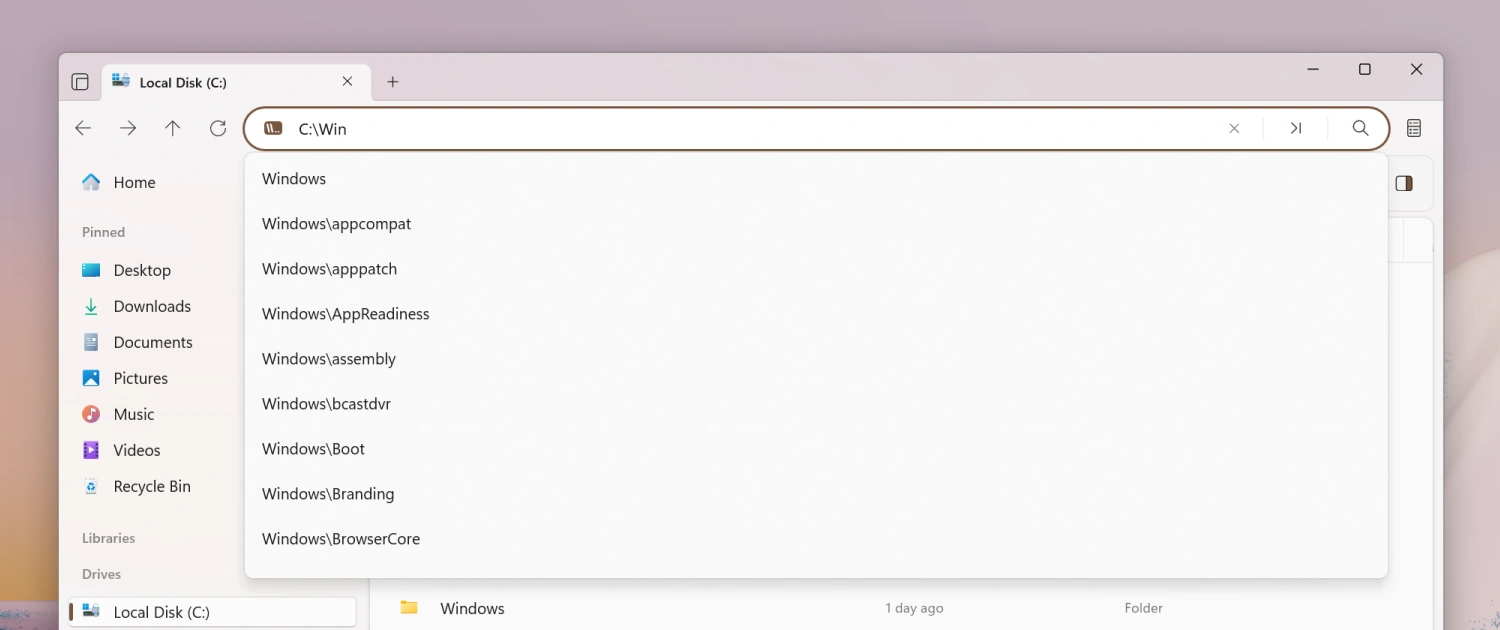
We added a shadow to the Omnibar suggestions flyout to better align with WinUI styling.
Status Center
Added text wrapping for longer folder names in the Status Center.
Tags
Added support for AND OR operators when searching for tags.
Fixes
- Fixed a crash that would occur when resizing the window in Dual Pane mode.
- Fixed a crash that would occur when switching git branches during a merge conflict.
- Fixed an issue where PNG-based .ico files with black backgrounds displayed incorrectly in the sidebar.
Conclusion
As always, we appreciate your feedback and suggestions on how to improve Files. You can reach us on Discord and on GitHub.
Thank you for using Files! 😊
Download Files from the Microsoft Store | Sponsor us on GitHub