
Today we are releasing Files v4.0.28 for all users.
An update icon should be displayed in the top right corner of the app for existing users, while new users can get started from our download page. Additionally, you can help support the project by purchasing Files on the Microsoft Store or by sponsoring us on GitHub. Your support is greatly appreciated but entirely optional.
What’s Coming Soon
We’re excited to share that we’re actively working on performance improvements to make thumbnails load faster. These changes aren’t included in today’s stable release, but we hope to begin testing them in the Preview channel in the near future. We’ll share more updates as progress and testing continues.
What’s New in Files v4.0.28
Updated Right-Click Context Menu
The Properties option is now a primary action in both the Sidebar and Home Page context menus, improving consistency across Files.
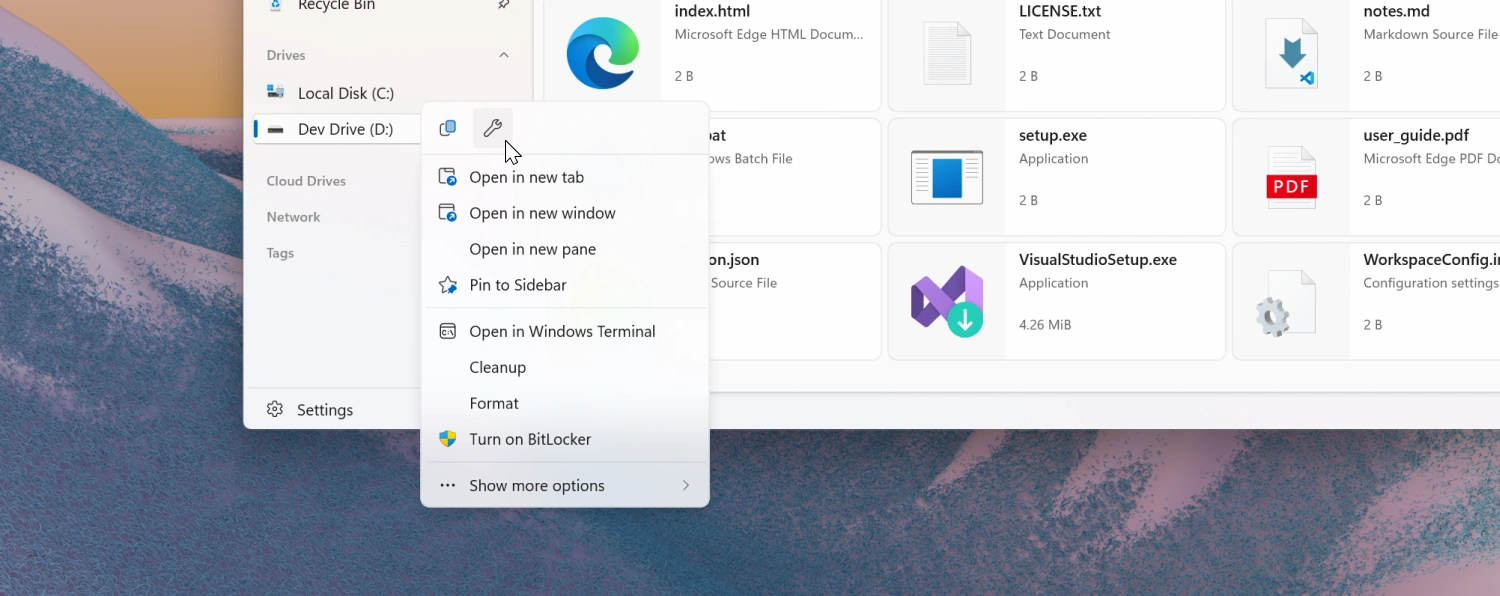
Context Menu Options
You can now disable the “Pin to Start” and “Pin to Sidebar” context menu items under Settings → General → Context Menu Options.
Support for the Microsoft Store Version of Dropbox
Files now detects cloud drives for the Microsoft Store version of Dropbox. Previously only the non-Store version was recognized.
Icon Customization for URL and Shortcut Files
The Properties customization page now supports changing icons for URL and shortcut file types.
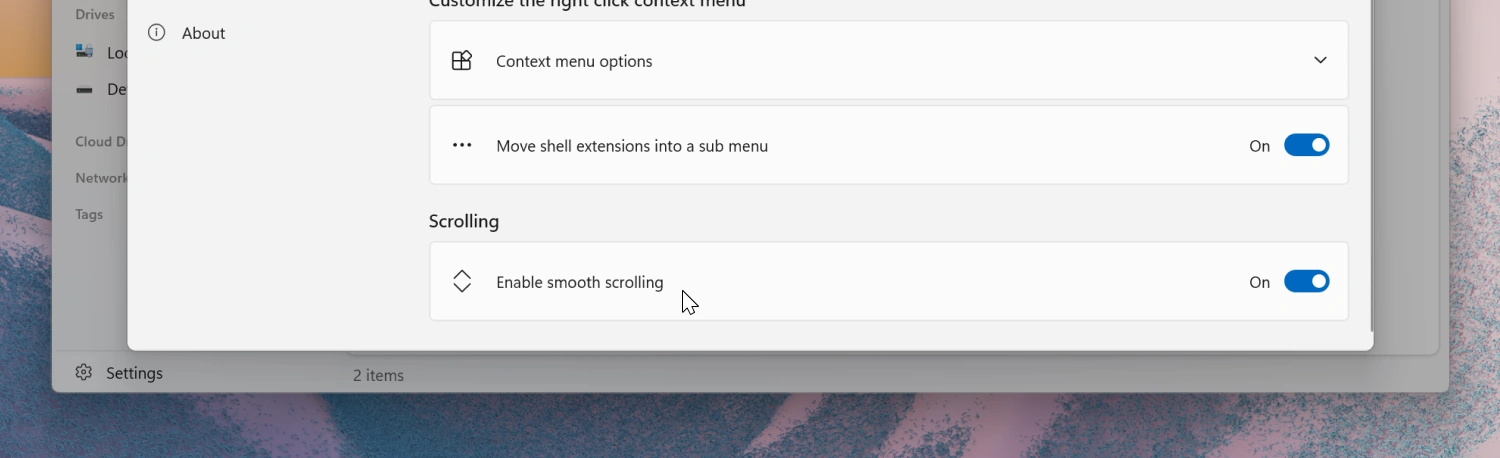
Added Option to Disable Smooth Scrolling
Smooth scrolling can now be disabled from Settings → General → Scrolling.
Fixes
- Fixed an issue where the ‘Open With’ menu was missing for script files.
- Fixed an issue where switching tabs via the scroll wheel didn’t work correctly.
- Fixed an issue where SEER would reopen after manual closure.
- Fixed an issue where setting Files Stable as the default then opening Files Preview would switch the default incorrectly.
- Fixed an issue where the Info Pane wasn’t hidden on the Release Notes page.
- Fixed an issue with tag searches containing spaces.
- Fixed inconsistent file type display for hidden items.
Conclusion
As always, we appreciate your feedback and suggestions on how to improve Files. You can reach us on Discord and on GitHub.
Thank you for using Files! 😊
Download Files from the Microsoft Store | Sponsor us on GitHub