
Today we are releasing Files v4.2.3 for all users.
An update icon should be displayed in the top right corner of the app for existing users, while new users can get started from our download page. Additionally, you can help support the project by purchasing Files on the Microsoft Store or by sponsoring us on GitHub. Your support is greatly appreciated but entirely optional.
What’s New in Files v4.2.3
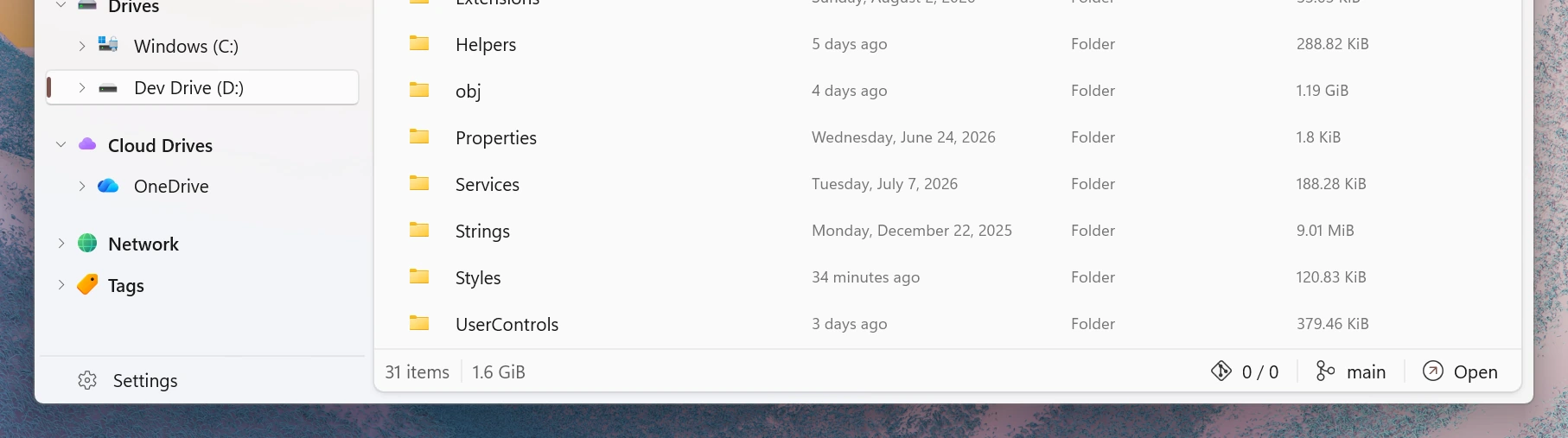
Updated status bar design
The status bar at the bottom of the window has been redesigned for a cleaner, more modern look that fits in better with the rest of the app.
Toggle states for toolbar buttons
Toolbar buttons that turn an option on or off now show a clear toggle state, making it easier to see at a glance which options are currently active.
Convert images to icons for folder icons
When choosing a custom icon in a folder’s Properties, you can now select a .png image and Files will automatically convert it to an .ico file for you.
Choose an encoding when browsing archives
Files now lets you pick the encoding when browsing archives whose filenames aren’t stored in UTF-8, so items inside ZIP archives created on other systems display with the correct names.
Fixes
- Fixed an issue where the permanently delete checkbox was not shown in the delete dialog.
Conclusion
As always, we appreciate your feedback and suggestions on how to improve Files. You can reach us on Discord and on GitHub.
Thank you for using Files! 😊
Download Files from the Microsoft Store | Sponsor us on GitHub