
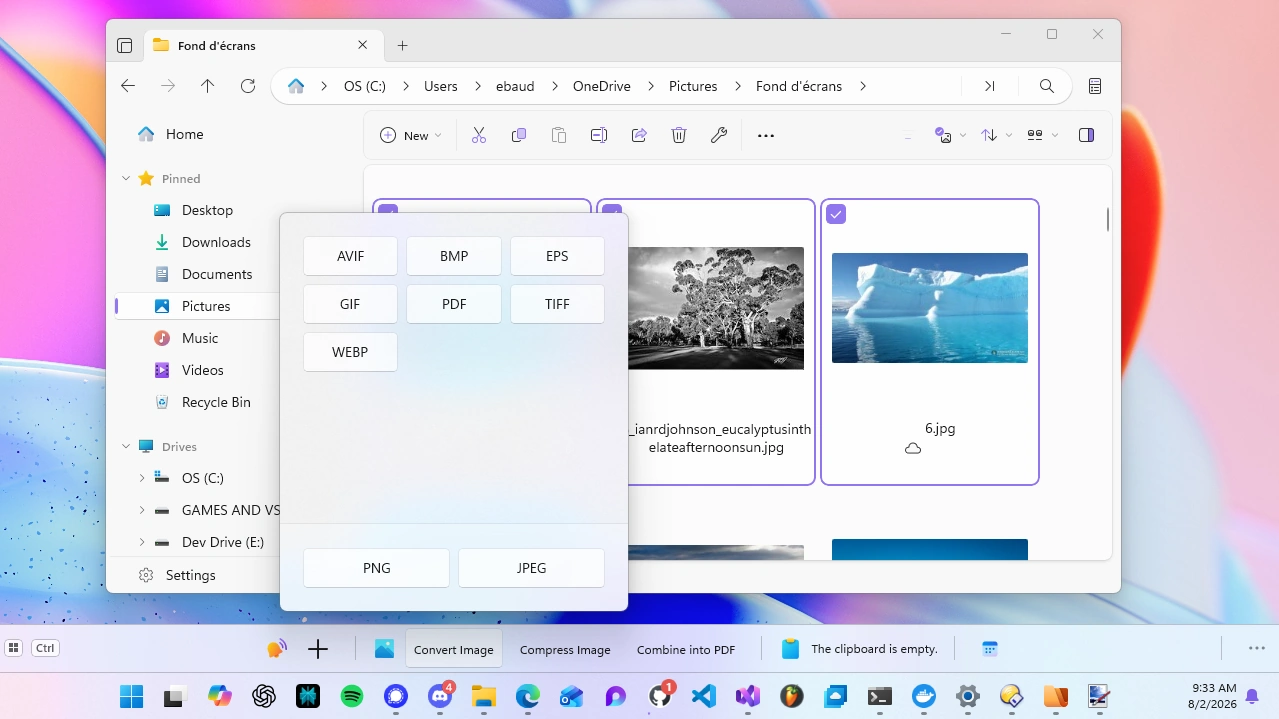
Context-aware tools, right where you need them
We’re excited to announce a new integration with WindowSill, an AI-powered command bar for Windows. WindowSill detects when Files is in focus and automatically reads the current folder and your selected items, surfacing context-aware tools right where you need them.
The entire integration is implemented in WindowSill, no AI features have been added to Files itself, and nothing changes in Files if WindowSill isn’t installed. It works with both the Microsoft Store and standalone versions of Files. When both programs are installed, simply select an item in Files and the relevant tools are displayed in WindowSill.
What you can do
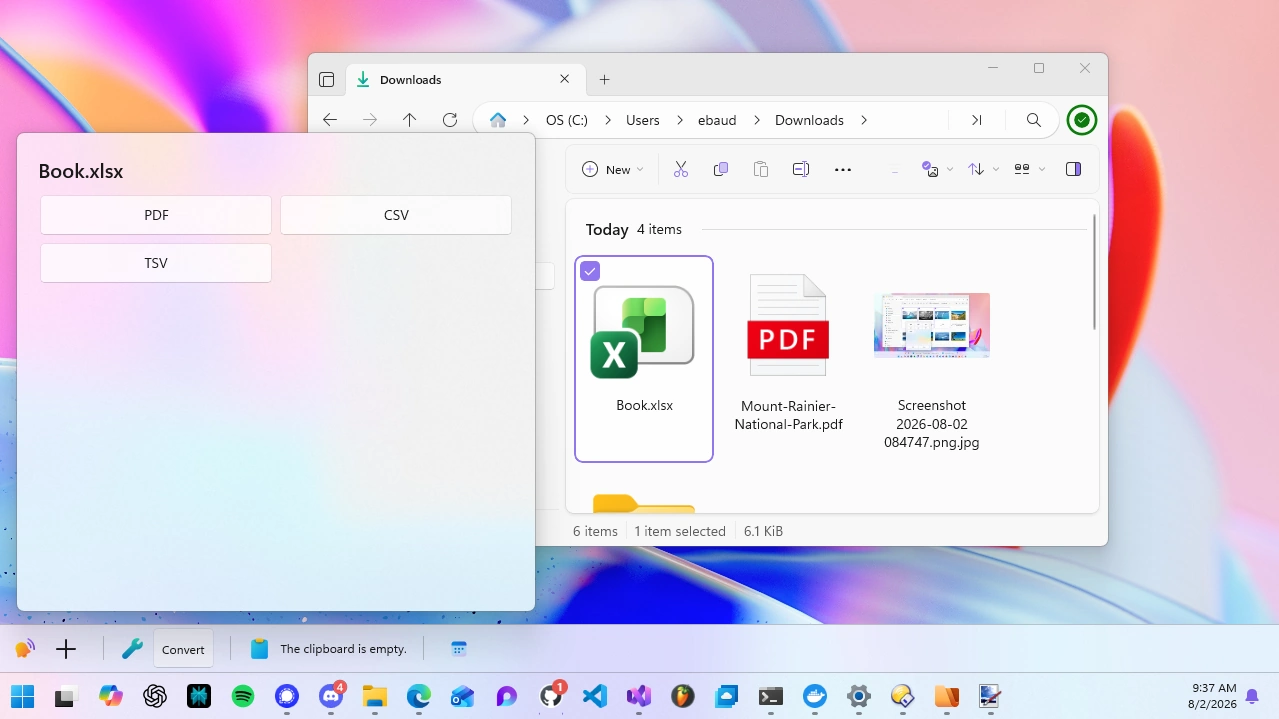
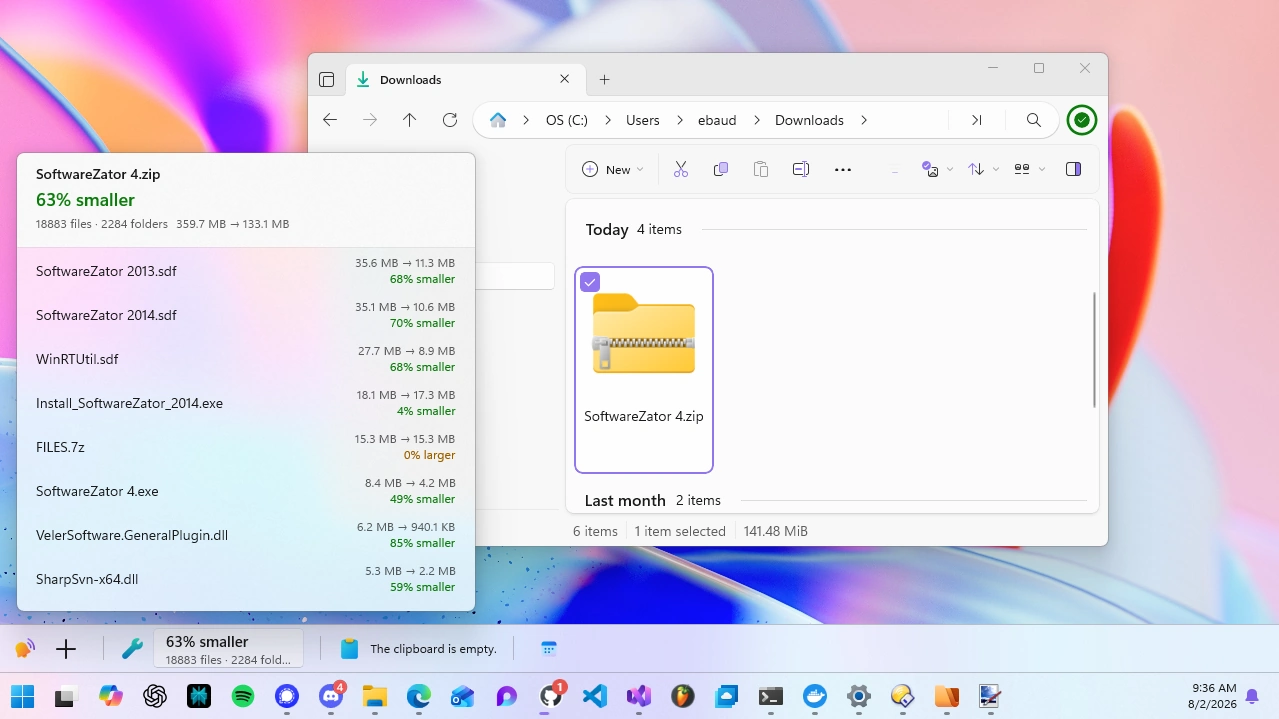
Depending on what you select, WindowSill offers tools such as converting or compressing images and videos, splitting or merging PDFs, converting documents and spreadsheets, and peeking inside archives without extracting them.
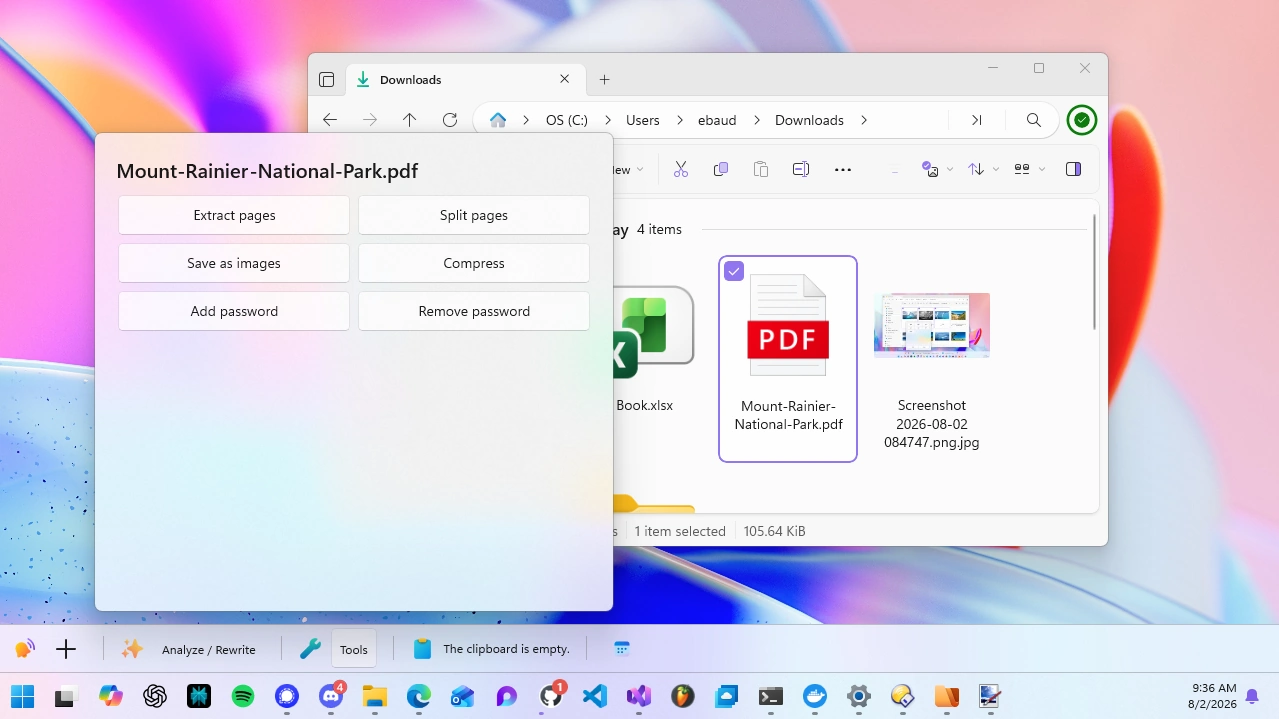
Select a PDF to extract or split pages, save it as images, compress it, or add and remove password protection:
Spreadsheets and documents can be converted to other formats:
You can even peek inside an archive without extracting it:
To learn more about this integration, read the full announcement on the WindowSill website.
Conclusion
As always, we appreciate your feedback and suggestions on how to improve Files. You can reach us on Discord and on GitHub.
Thank you for using Files! 😊
Download Files from our download page | Sponsor us on GitHub